Class Scheduler / Case study
I wanted my next class available without pulling out my phone.
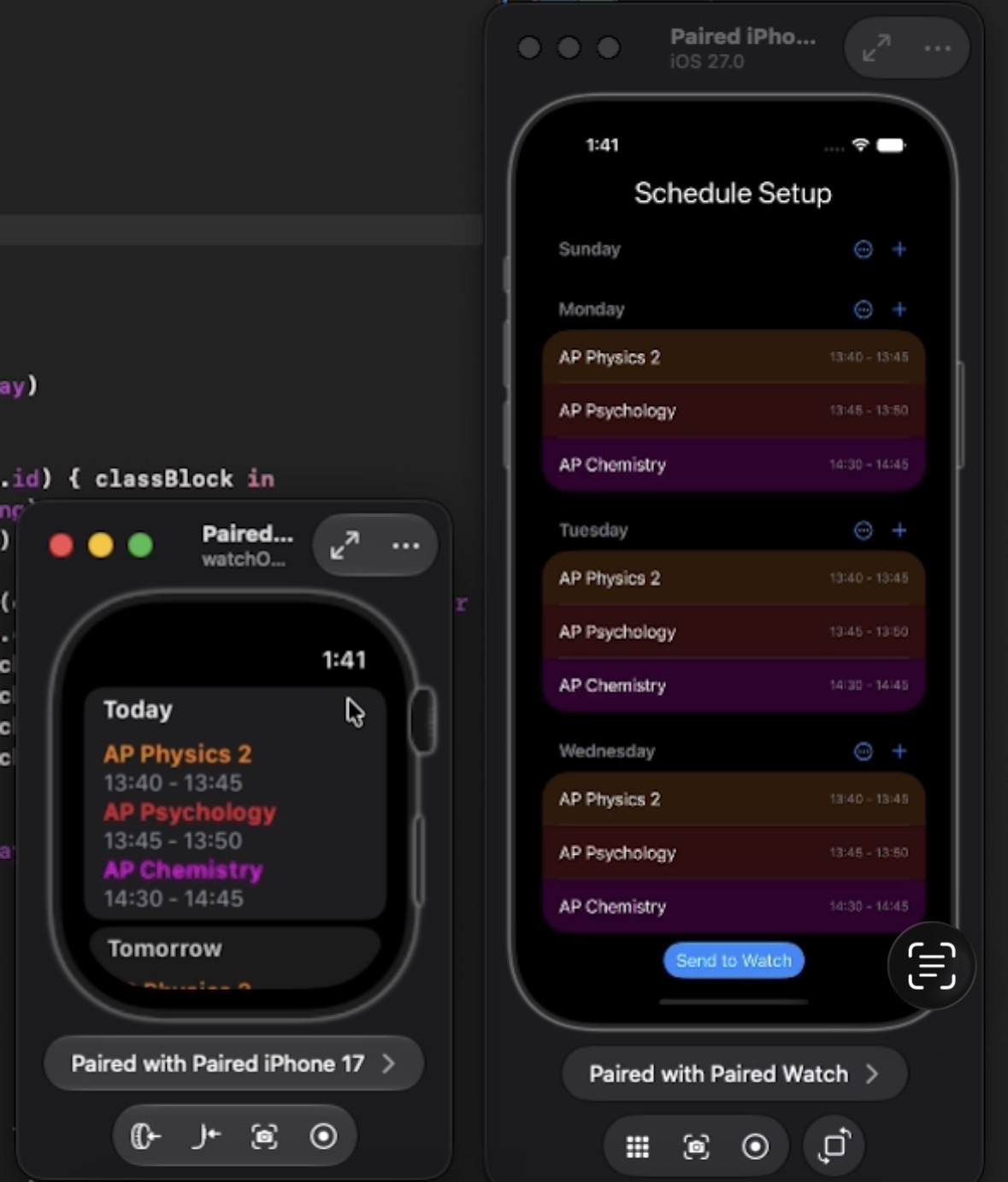
I built a native schedule app for my iPhone and Apple Watch. I save my timetable on the phone, send it to the watch, and show the current schedule in a watch widget so I can check it quickly between classes.
Why I made it
I wanted the information on the closest screen.
I usually need my schedule while I am walking between classes. I use the phone as the editing screen, then use the watch and widget for quick checks when I do not want to open the full app.
How I built it
I made one schedule work in three places.
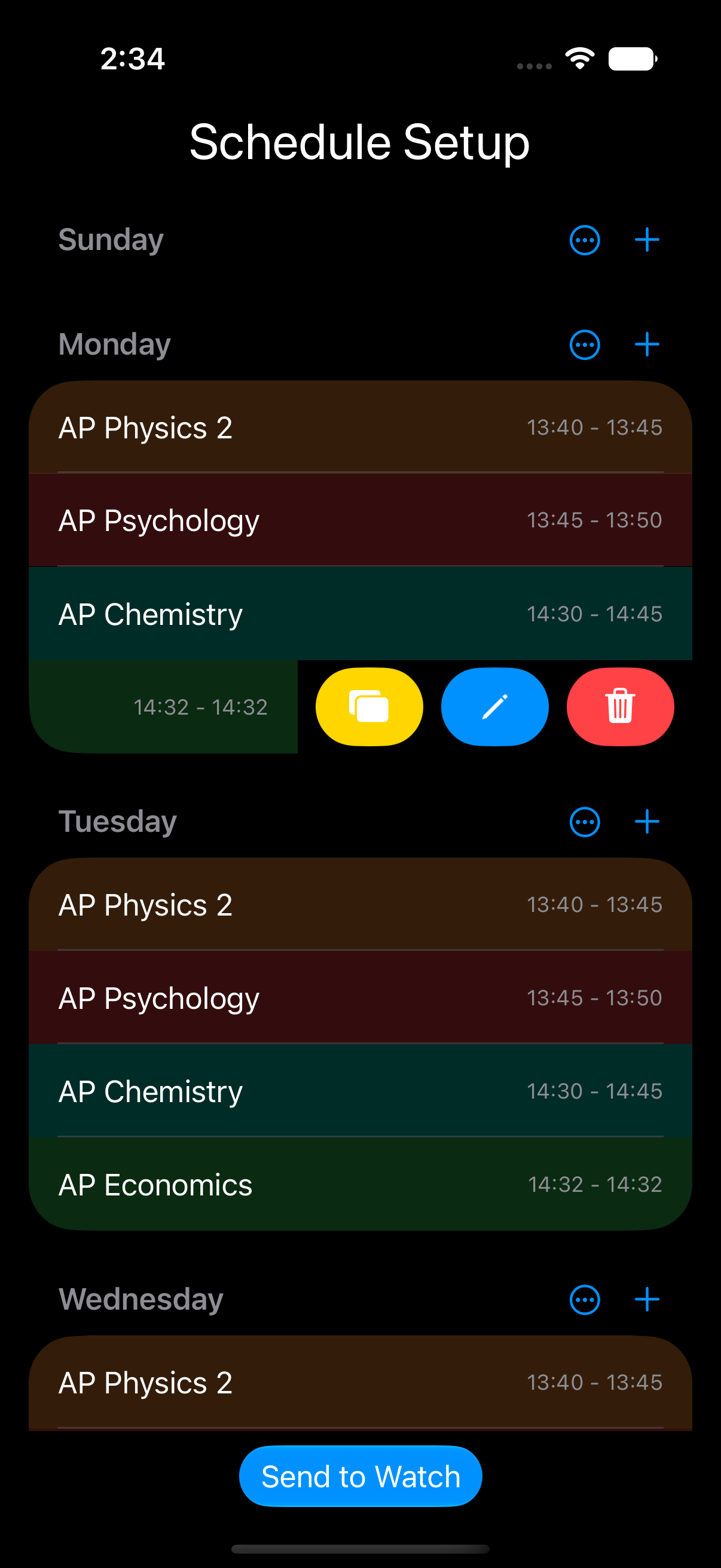
I store each class as a SwiftData ClassBlock. My setup and editing views handle names, colors, times, and the weekly structure, and my schedule manager turns those records into the right order for the current day.
To send the schedule, I convert my saved models into a Codable format and transfer it with WatchConnectivity. On the watch, I receive and store that data for the SwiftUI app. I use WidgetKit and App Intents for the watch widget.
Why I separated the data
SwiftData is useful inside the phone app, but I cannot pass those live model objects directly between devices. I made a separate Codable version so the watch only depends on the data it actually needs.
What I learned
I learned that cross-device apps are mostly about the data lifecycle.
- I give each screen a different job. I edit on the phone, browse on the watch, and glance at the widget.
- I define exactly what I synchronize. My Codable transfer model makes the device boundary clear.
- I have to treat stale data as a real state. I want the next version to show the last sync time and explain how to recover.
- I test transitions, not only screens. Edits, watch reachability, widget refreshes, day changes, and empty schedules are the actual system.